Start with a learning objective
Choose what the players should practise before choosing a long list of drills. A useful objective describes an observable action, such as creating a passing option after releasing the ball. Adapt the space, numbers and pressure to your group.
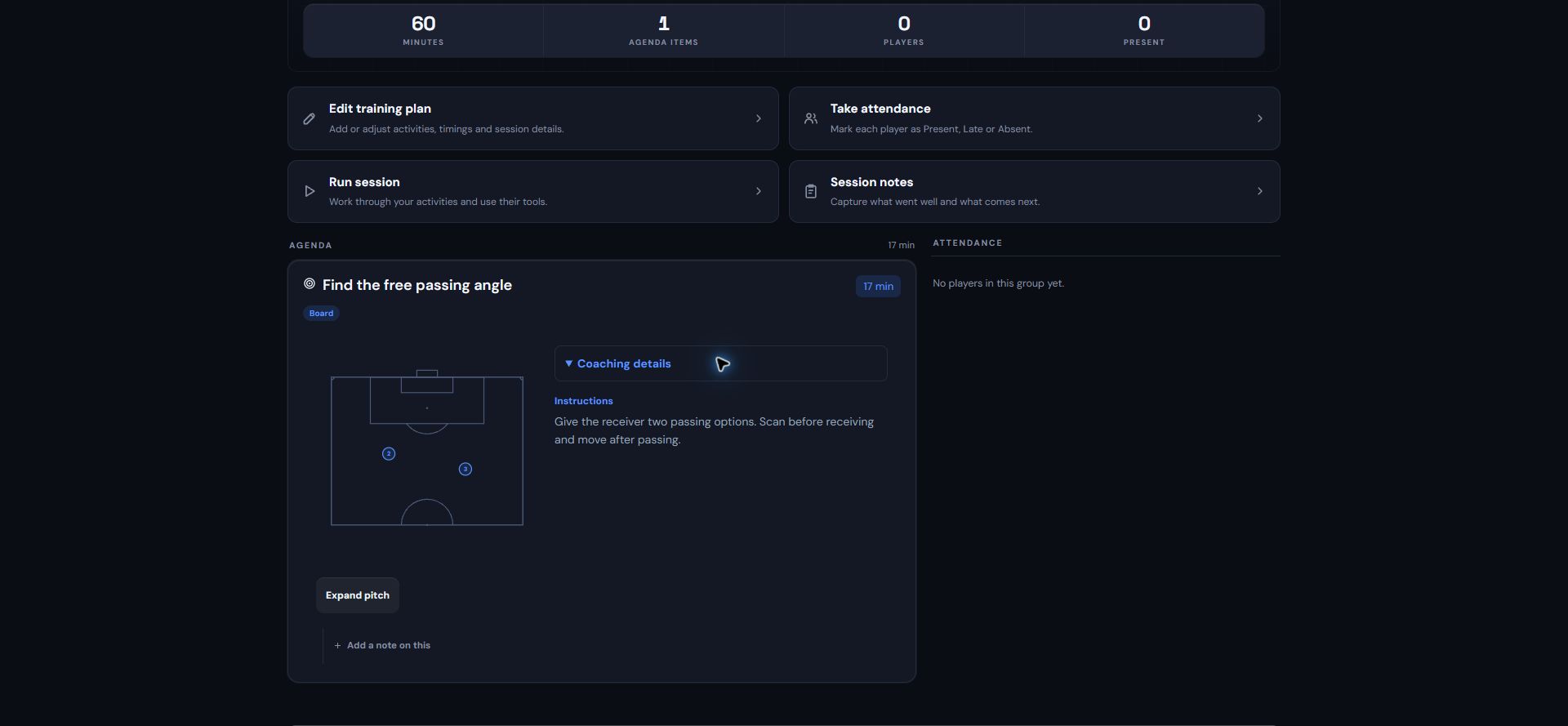
Clutch’s activity editor separates practice type, objective, organisation, instructions, coaching points and progressions. These details are optional so you can save an outline and develop it later. A saved diagram stays with its activity; the app does not invent one for you.
Build a realistic running order
Set the session time and audience, then add activities with their durations. The planner shows how much time is allocated. Include space for explanation, rotation and recovery instead of assuming every minute is active play.
Review the plan before saving. During the session, open an activity’s tools and coaching details from the running view. Timers and other selected tools support delivery; they do not replace your judgement about when to stop or adapt the practice.
Use the plan during the session
After saving, open the session and use Run session to follow its activities. Reopen the saved pitch diagram and coaching details from the activity card; the plan should remain useful on the pitch, not just while preparing at a desk.
Here is an illustrative 60-minute outline you can adapt: 10 minutes introducing the ball and movement task, 15 minutes on the chosen passing activity, 25 minutes applying the idea in a small-sided game, and 10 minutes for transitions and a review. This is an illustrative outline, not a preset or a programme automatically supplied by Clutch. Adjust the work to your players and account for explanation and recovery.
In the session notes, record what the players understood and what you would change next time. Use a published development review for feedback intended for an individual player; a private planning note and a shared player review serve different purposes.
Prepare tactics and review the work
Use football pitch tactics, set pieces and responsibilities to make your intended movement clear. Manual scouting reports capture your observations about opponents, while development assessments and published reviews support player follow-up.
Keep the difference between an observation and a measured result clear. Football does not yet have Clutch’s basketball PDF report generator or advanced shot-map dashboards.
Start without a club, connect when ready
An independent coach can use My preparation beside their profile to save private football plans and pitch diagrams. Joining a club is required to assign work to its players. Tool availability also depends on the account’s plan and permissions.
After signup, choose football and review your private Nexus coaching profile. You can then move into preparation rather than making the profile public first.
Questions, answered
Football questions
Can I use this as a soccer practice planner?
Yes. Soccer and football refer to the same sport here. Use your own practice names and coaching instructions.
Does the planner automatically write a complete coaching programme?
No. The coach chooses and adapts the activities, objectives and progression. The planner organises that work.