Turn a coaching priority into a session
Start with what the team needs to improve. Give the session a purpose, organise its activities and allocate time to each one. Clutch keeps the running order and coaching details together so your plan is useful when practice begins.
Use visual activity cards and your saved court diagrams where they help explain the task. During training, open the activity tools, use the selected timers and record notes for your next session. The diagram represents what you saved; the planner does not invent a drill for you.
Make your court tactics easy to explain
Use the basketball playbook and court tools to prepare the actions you want to teach. Keep the purpose clear: where players start, the movement you want and the decision they need to recognise.
For example, a coach working on spacing can prepare a court diagram, build an activity around it and add the cues they want to reinforce. That is a coaching example, not an automatically generated programme. The coach chooses the detail and adapts it to the group.
Connect training to player development
Pathway is the coach’s development workspace. Use plans and assessments to record what a player is working towards, then publish the reviews intended for the player. Players find shared plans, assigned training and published feedback in My development inside Training.
A useful review gives the player a specific next step: what to practise and what the coach will look for next time. Private staff notes remain separate from published feedback. Older staff-only assessments are not automatically exposed to players or recruiting viewers.
Scout with observations and available evidence
Keep your own scouting observations alongside the basketball results available to your account. Coaches can explore their team’s shooting and individual players, as well as authorised same-league opposition and its players.
Shot zones and recorded shot locations can help you ask better questions about shot selection and accuracy. Use the game and season scope to understand what you are looking at. A chart only includes the available recorded data; missing shot locations do not mean a player never attempted a shot there.
Build a report around the question you need answered
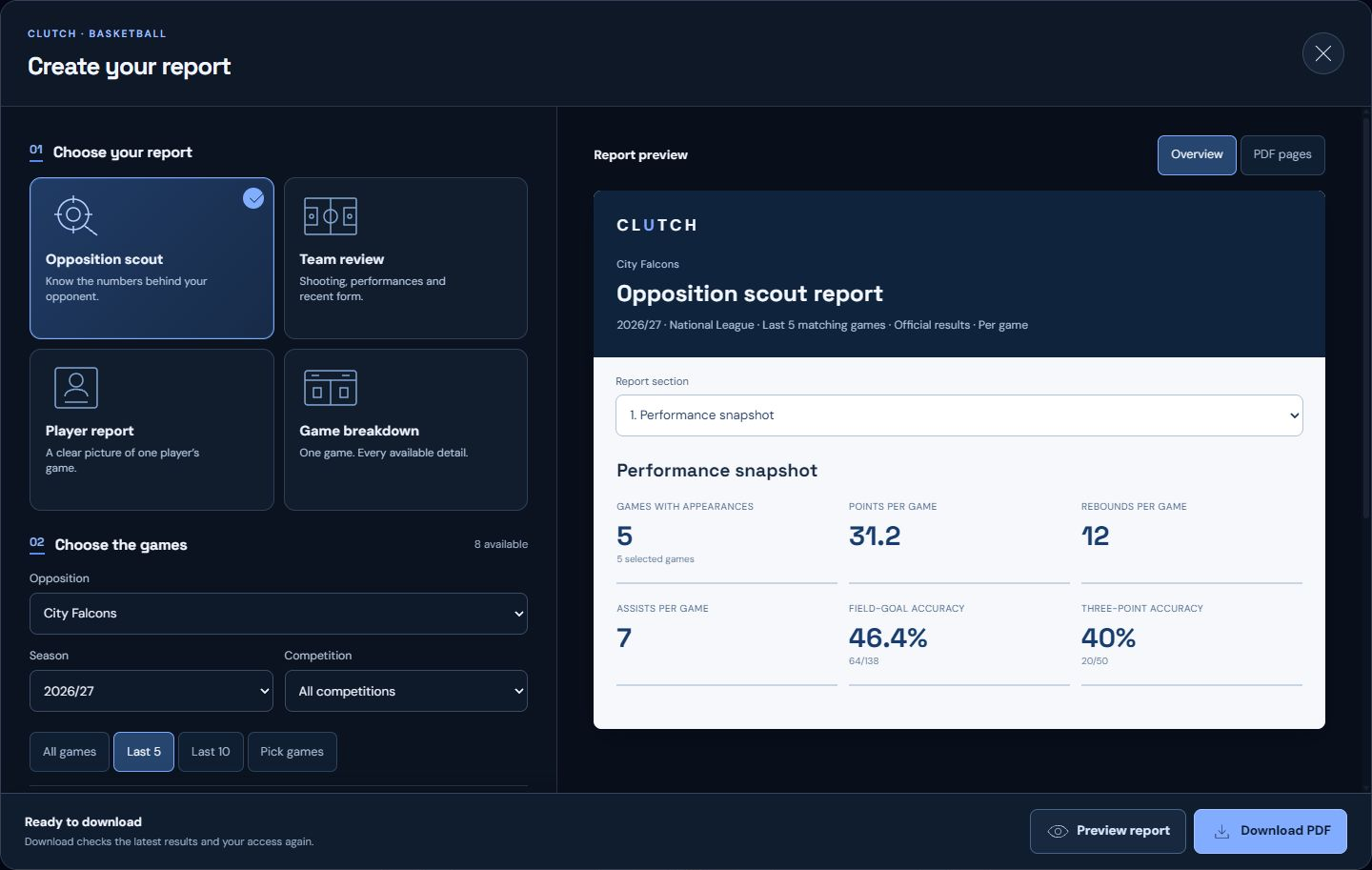
The basketball report builder offers team review, opposition scout, player report and game breakdown options. Choose the available season, competition, games and opponent filters to define the sample, then preview the report before downloading the PDF.
Reports can include shooting, player figures and period breakdowns where those facts exist in the source data. Keep an eye on the selected-game count and any missing-data notes when comparing performances. The output describes recorded performance; the coach decides the game plan.
Report generation is for authorised coaches. It is not a player self-service report tool, and access to opponents is scoped to the data the coach is permitted to view. Creating an account does not import every league’s statistics.
Start with your coaching profile
Create an account, confirm your email, complete the required consent and select basketball. Fill in the essential profile information and add optional experience details when ready. Tool availability depends on your plan and club permissions.
Nexus is the recruitment area for presenting your coaching experience and exploring opportunities. The first profile preview is private; you choose whether to publish it. A Nexus profile is separate from access to a club’s players, training records and reports.
For a club rollout, connect the right coach to the right teams before assigning work or sharing player information. Use Help and the on-screen walkthroughs to find the relevant controls.
Questions, answered
Questions from coaches
Can I create basketball practice plans in Clutch?
Yes. Organise activities, timings and coaching details, and use your saved court diagrams where relevant. The coach remains responsible for choosing and adapting the session.
Does Clutch include basketball shot charts?
Basketball charts show available recorded shot locations or court zones, with game and season views. Coverage depends on the recorded game data and your authorised access.
Can players generate the scouting PDFs?
No. The basketball statistical report generator is restricted to authorised coaches. Players can use the personal statistics and shared development information available to them.
Will my league’s historical stats appear automatically?
No. Reports depend on available imported or recorded results and correct player links. Missing seasons or games are not filled with invented statistics.